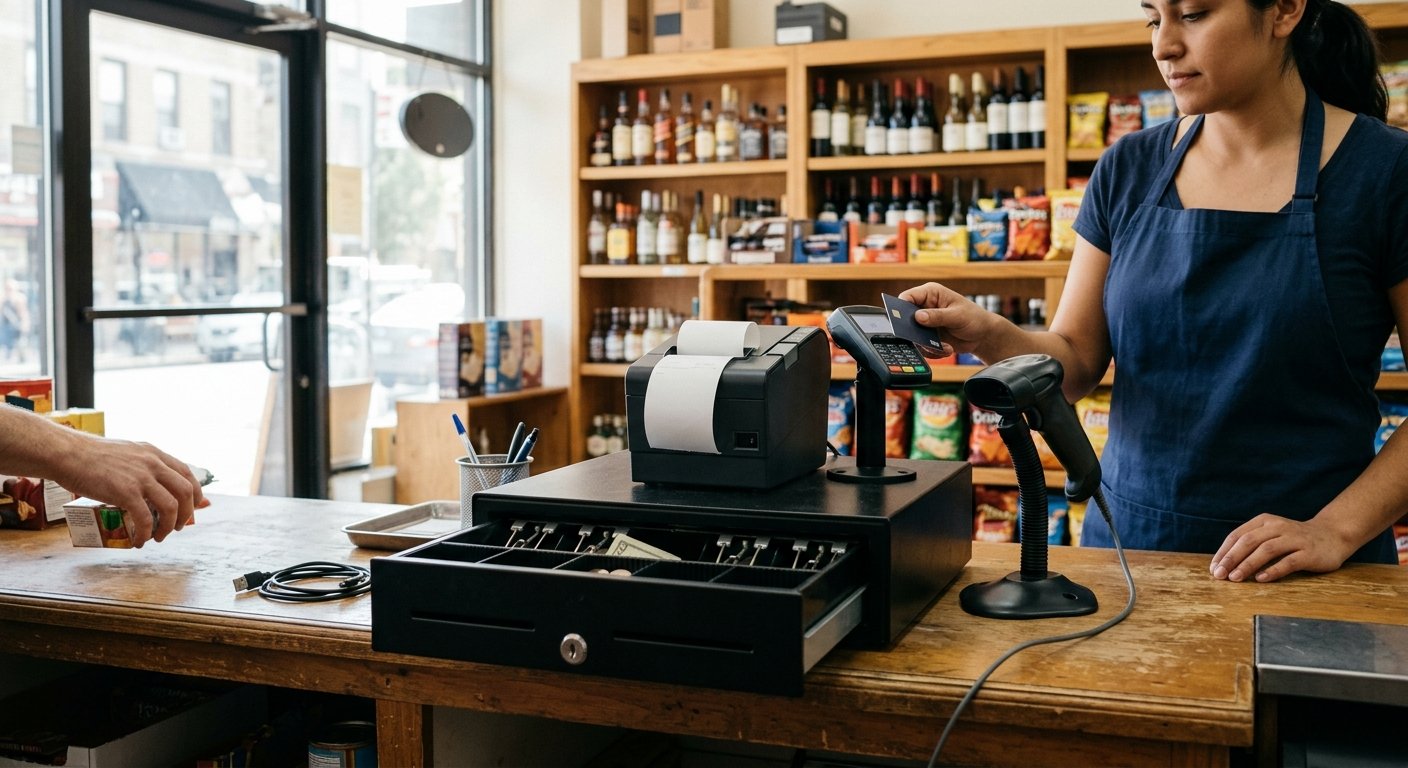
A connected cash drawer opens from the register when you close a cash tender. It doesn’t open because someone found a button on the screen or a key under the tray. The POS fires a kick on cash, the solenoid pops the lock, and the bills in the till stay tied to that ticket. Card taps, dips, and swipes should leave it shut. If the tray flies open on every receipt, or stays dead on cash, the cable path or the tender rule is wrong.
What a connected cash drawer is doing at the till
The drawer is a metal box with bill slots, coin cups, and a lock the register owns. You’re tying the cash in the tray to the sale the software just closed. That’s the whole job.
When a customer pays with a twenty on a twelve-dollar six-pack, the cashier keys cash. The receipt prints. The solenoid fires. Change comes out, the tray slides back, and that open is a recorded event. A no-sale open is recorded too. A good setup makes those rare.
A box you can pop with a finger under the lip isn’t doing that job. Anyone on the floor can make change, lift a twenty, or pay a lottery winner without the register knowing. The cash-tender total at close will say one number. The tray will say another.
We treat the drawer as part of the station, not a spare part you add later. Before hardware ships, we match it to the printer or the USB path the POS actually speaks. The cable, the kick, and the cash-only rule travel together. That’s cash drawer integration that holds up on a Saturday.
A cash register and a POS can both own a till. The POS version also holds the item file, age checks, and card tenders on the same ticket. The drawer still only cares about cash.
Printer kick, USB, and a drawer that never opens
Most retail drawers never talk to the computer. They talk to the receipt printer. A short RJ11 or RJ12 cable, the same family as an old phone cord, and not a substitute for one, runs from the printer’s drawer port to the till. The POS tells the printer to print. On cash, that print job includes a kick. The printer sends a pulse. The lock opens. That’s a POS cash drawer kick, and it’s the common path on liquor, convenience, grocery, bodega, and gas counters because the printer is already there.
If the printer is off, on the wrong driver, or printing to a back-office unit, the drawer stays shut. The sale can still close. The cashier then pries the tray or hunts for a key while a line forms.
USB cash drawer retail setups skip the printer. The drawer plugs into a USB port on the terminal or hub. The POS app has to speak that drawer. Many apps don’t. They speak printers, and they expect the printer to speak the drawer. Plug a printer-kick drawer into a USB hub and the tray sits there. You may see a message that no USB drawer was found. The cable is seated. The software is looking for the other interface.
Serial drawers still show up on older stations, where the POS writes a control string to a COM port. A lot of new terminals have no serial port, so we leave that path alone unless the station already has it.
If you already run Square hardware, the cable path is specific to that stack. Mixing a printer-driven drawer with a USB-only setting is the usual miss. We walked that setup in Square POS with a cash drawer.
A drawer that never opens on day one is almost never a dead solenoid. It’s a kick sent to a port that isn’t wired, or a USB drawer on an app that only kicks printers.
Cash tenders versus card tenders
The kick should fire on cash. It should stay quiet on card.
A card sale has nothing to put in the tray. Opening the drawer on a tap trains the cashier to glance at bills that didn’t change. It also gives a window to pull cash with no cash line on the ticket. That window is how a till walks away a few twenties at a time.
A no-sale button exists for a reason: a counterfeit bill, a manager count, a jammed tray. It should need a manager login, and it should write a line in the journal. A physical key still has a job in a power cut. During open hours, the key shouldn’t be the way every cashier opens the box.
Split tender is the one that trips people. Twelve dollars in cash and the rest on a card should open the drawer once, for the cash portion. On a grocery or c-store ticket, an EBT split works the same way. SNAP authorization is a USDA program. The SNAP portion isn’t cash in the till. The cash remainder is. We scope item eligibility and split tender on the demo, because the kick follows the cash line, not the whole ticket.
Lottery still sits to the side. The state runs that terminal, so the work is reconciliation, not a cable into the register. A cash-out still hits your till. The register only knows if you ring a payout or you count it off to the side at close.
End of day is the test that matters. Count the tray against cash tenders plus the starting bank, minus paid-outs. If the drawer opened all afternoon on card receipts, or on a borrowed key, that math is theater. The kick rule is what makes the count possible. We walk that close the same way we walk the rest of the station in how a Counter Club setup runs.
What to test before the first rush
Run these on a closed counter, with the starting bank already in the tray.
Ring a cash sale and watch the drawer. It should pop with the receipt, not before the tender, and not five seconds after the customer has left. Ring a card sale next. The drawer should stay shut, even if a receipt still prints. Reprint that receipt. A reprint shouldn’t kick the till a second time.
Then run a split tender with cash on the ticket. The tray should open once. Try a no-sale with a cashier login and again with a manager login. The cashier path should fail or prompt. The manager path should open and log it.
If the drawer is printer-kicked, power the printer down and ring cash. The sale may still close. The tray won’t move. Decide now who holds the key for that moment. If the drawer is USB, unplug it and ring cash. You want the POS to tell you the drawer is missing, not fail silent.
Pin the drawer to the counter station. A handheld on the floor should take the line and send the ticket back. It shouldn’t open a second till, close the first one, or wipe the cash session because the scanner walked ten feet. One till, one kick path, one starting bank.
Check the slides and the lock. Dust and coin wrap in the tracks will make a good kick feel like a dead drawer. Seat the box so a slammed close doesn’t walk it off the well.
Do this before you put a real twenty in the starting bank. A missed kick is a nuisance in the afternoon. It’s a fight with a coffee line in the morning.
When a drawer on a phone stand is not enough
A phone on a stand can take a tap. Tap to Pay comes with the merchant account we board. Cash still needs a tray that the register can kick and a cashier can’t open at will.
A light mini drawer under a tablet is fine for a pop-up. A liquor or convenience counter with a case of twenties, coin for singles, and a night drop isn’t a pop-up. The box has to take a slam, hold the bank, and stay put under the printer. We sit the printer on the drawer on a lot of counters so the kick cable stays short and nobody unplugs it while sweeping.
A laptop can run POS software. It doesn’t become a till by itself. You still need a printer or a USB drawer the app actually supports, plus a scanner and a reader. If the app only kicks a printer, use the printer path. A random USB drawer from a parts site will sit there while the laptop prints to a driver that has no drawer port.
Using a phone as a POS is a card path. It isn’t a cash drawer path. When the counter is a full station, the drawer is scoped on the written quote with the register, the reader, and the scanner. That quote is the same conversation as what a POS system costs. We wire the kick before the station ships, then we test it with you by phone and video. The first sale at the store should be a kick test, not a cable hunt.
Frequently asked questions
How do I open a connected cash drawer?
The register opens it when you close a cash tender. A manager no-sale can open it on purpose, and a physical key can open it in a power cut. If cash sales don’t pop the tray, the printer-kick cable, the USB path, or the tender setting is wrong, not the cashier.
What does a cash drawer mean at the counter?
It’s the locked tray under the register that holds bills and coin during the shift. Connected means the POS owns the lock and kicks it on cash. A key-only box is a drawer. It isn’t connected, and it won’t match the cash report at close.
Can I run a laptop or phone as the register with a drawer?
A laptop or phone can run the POS app and take cards. The drawer still needs a kick path the app supports, usually through a receipt printer. If the app doesn’t speak USB drawers, a USB till will never open, no matter how well the cable is seated.