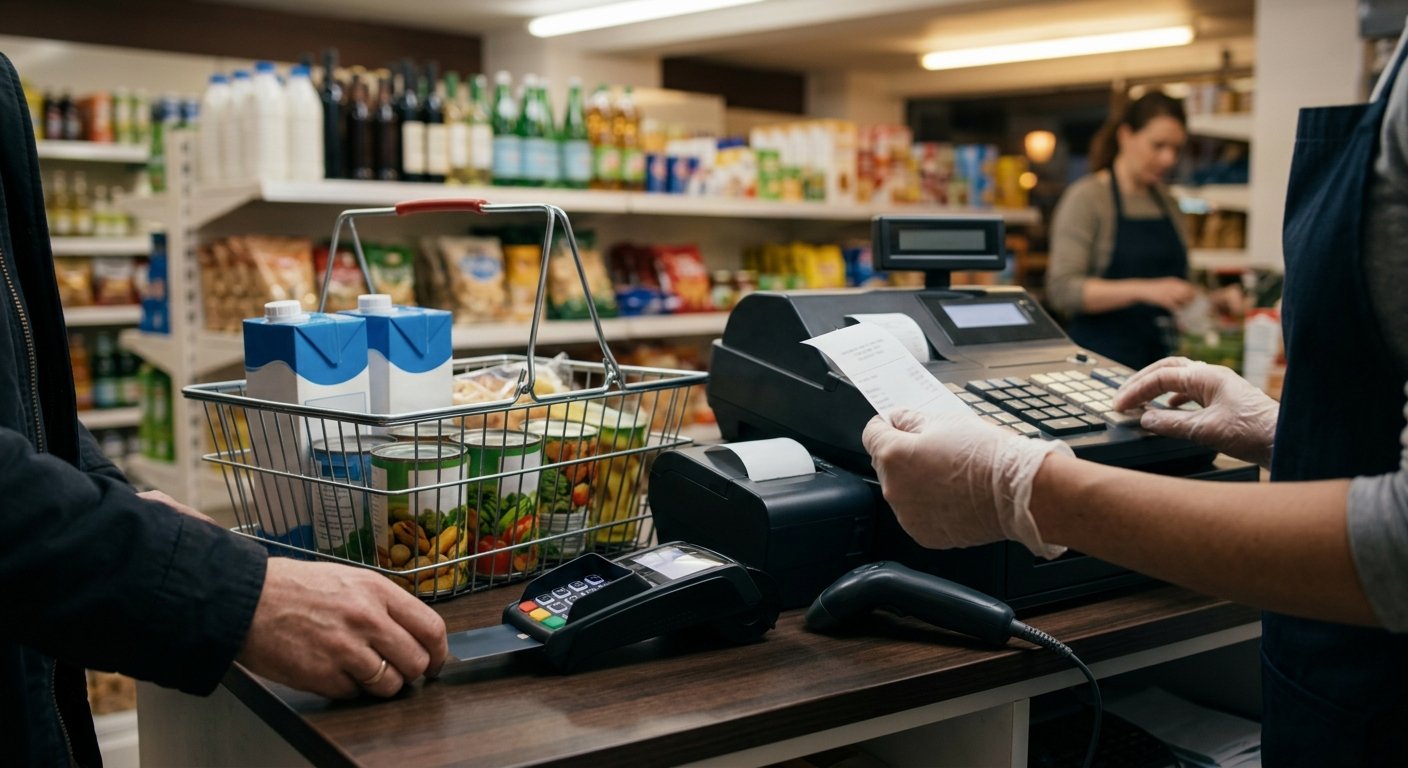
A SNAP card at a grocery or bodega counter doesn’t need its own secret box. An EBT machine for business is usually the same PIN pad that already takes debit, plus SNAP flags in the item file, plus a store USDA has authorized for SNAP. The pad talks to the benefit host. The register decides which SKUs can ride on SNAP. The cashier still looks at the basket. That’s the whole picture, and it’s why shopping for a second standalone SNAP card machine for a store is the wrong first move.
What an EBT machine for business actually is
The machine people mean is a PIN pad on the lane, not a second cash register. The customer slides or inserts the benefit card and types a PIN. The pad is what they touch. The work lives in the register.
We treat that pad as part of the lane we already set up. Register, card reader, and barcode scanning sit on one counter. EBT and SNAP ride the same checkout, with item eligibility and split tender scoped on the demo. A lone SNAP box still needs its own item file, which is how baskets go wrong.
“EBT machine” used to mean a dedicated food-stamp terminal beside the card pad. That layout still gets sold to stores that already take cards. It’s extra hardware chasing a job the lane can do.
What the pad can’t do is decide the store. SNAP authorization is a USDA program, and the Food and Nutrition Service (FNS) authorizes the retailer. We configure the hardware and the flags. We don’t authorize the store, and we don’t promise that FNS will.
Owners hunting the best EBT machine for small business are usually comparing plastic. Compare the lane. If the register can’t flag a gallon of milk and hold back an unflagged SKU on the same ticket, the pad is just a PIN box. A grocery store POS that already scans and tends cards is the register SNAP should live on.
The PIN pad, the item flags, and the FNS store
Three things have to be true at once, or the card declines for reasons that look like hardware.
The store is an FNS-authorized SNAP retailer. That decision sits with USDA. Start on the SNAP retailer page at USDA and read the current retailer rules. We can set a pad and an item file. We can’t write the authorization.
The item file carries SNAP flags. Every SKU that should ride SNAP is marked. Twelve cans come out of one case, and each unit has to keep the same flag as the case. If the case is flagged and the each-unit SKU is not, a can declines that should have gone through. We set those flags with you on the demo, walking the departments on your shelves.
The PIN pad should be the debit PIN pad on that same lane, or a pad we add to it. An EBT PIN pad on a grocery counter is a customer device on the same ticket as the scanner. It prompts for PIN and sends the SNAP tender. It doesn’t keep a private item list.
The cashier still checks the basket. Flags catch the SKU. Eyes catch the swap and the wrong PLU. No pad replaces that. EBT and SNAP processing is the account-level path. The pad is what the customer touches. Both have to be live.
Why a second standalone box is the wrong picture
A second standalone box splits one grocery sale into two systems. Plug it in, take the card, skip the register, and the lane still has to finish the rest of the basket somewhere else. On a grocery or bodega counter, that split shows up as two totals.
The cashier rings food on the box and everything else on the register. Now you have two receipts and a drawer that matches neither tape. Split tender becomes a calculator problem, and inventory never sees the SNAP half. The item file on the box ages the week someone adds yogurt and forgets that box.
Some processors still ship EBT-only terminals for stores that take SNAP and almost no cards. That’s a different shop than the stores we build for. Liquor, convenience, grocery, gas, and bodega counters already take cards. Adding SNAP to that pad keeps one batch, one item file, and one cashier motion.
A second box also hides the real failure. When SNAP declines, the cause is usually a flag, a PIN, a host timeout, or a store that isn’t authorized. The box gets blamed. The register never learns. We’d rather you see the decline on the same screen that rang the milk.
That’s why an EBT POS system is a checkout question, not a hardware catalog question. Checkout has to flag items, split the tender, and print one ticket. The pad is a piece on that checkout. We ship pre-configured hardware and support the lane by phone and video.
Split tender when SNAP cannot cover the basket
Split tender is how a mixed SNAP basket still closes on one ticket. Milk and eggs sit next to an unflagged SKU, or the SNAP balance is short of the food total. The register has to take SNAP for the flagged items, then cash, debit, or credit for the rest, on the same ticket. If the pad is a second box, the cashier is doing that math by hand.
We scope split tender on the demo because that’s where grocery lanes break. The SNAP portion has to stop at flagged SKUs. The remainder lands on a second tender without voiding the first. The customer should see both on one receipt, and the drawer should show one sale.
A short SNAP balance is the daily version. The pad shouldn’t decline the whole ticket because the benefit amount is smaller than the food total. It should take what SNAP will take and wait for the next tender. That lives in the register, not in the pad.
Split tender on EBT is the checkout pattern. The machine question is whether the pad sits on that pattern or beside it. Beside it, you’ll train every new cashier to ring SNAP on the other device. On it, they scan, wait for the PIN, and take the rest.
Don’t assume a grocery register can do this because it can take debit. Debit doesn’t care which SKU is which. SNAP does. Ask for a live split on a flagged item and an unflagged item before you call the pad done.
What to test on the pad before the first EBT card
Test the lane with a training ticket before a real benefit card hits the counter. You’re testing flags, PIN, split, and the receipt, not the plastic.
Run an all-flagged basket and confirm the PIN prompt appears on the customer pad, not the cashier screen. Mix a flagged SKU and an unflagged SKU and confirm SNAP only covers the flagged line. Use a SNAP amount smaller than the food total and confirm the register waits for cash or a card. Void a SNAP line and confirm the ticket doesn’t leave a leftover tender in the drawer.
Have the cashier try the wrong motion on purpose. If they can knock a flag off with a button they use all day, that button needs to go. If they can finish a SNAP sale without a PIN, the pad isn’t in the path.
Confirm the item you received this morning is flagged. New SKUs are how SNAP setups rot. A case break that creates an each-unit PLU with a blank flag will fail on the second day. We set the flags with you. You still need a habit for new items.
When those tickets look right, the pad is ready. The remaining work is FNS authorization for the store, and underwriting for the merchant account that takes the cards. We board the merchant account. FNS decides the SNAP store. Neither is a pad you buy twice.
Frequently asked questions
Do I need a separate SNAP card machine for my store? Usually no. On a grocery or bodega lane that already takes cards, SNAP should use the same PIN pad and the same ticket. A second box splits inventory, receipts, and training.
Can the same PIN pad take debit and SNAP? Yes, when the register behind it can flag items and split tender. The customer types a PIN for both. If your current pad can’t prompt for a SNAP PIN, we add or replace a pad on that same lane.
What does FNS have to do with the hardware? FNS authorizes the store as a SNAP retailer. The pad can’t skip that. USDA runs the program. We set the PIN pad and the item flags. We don’t grant the authorization.