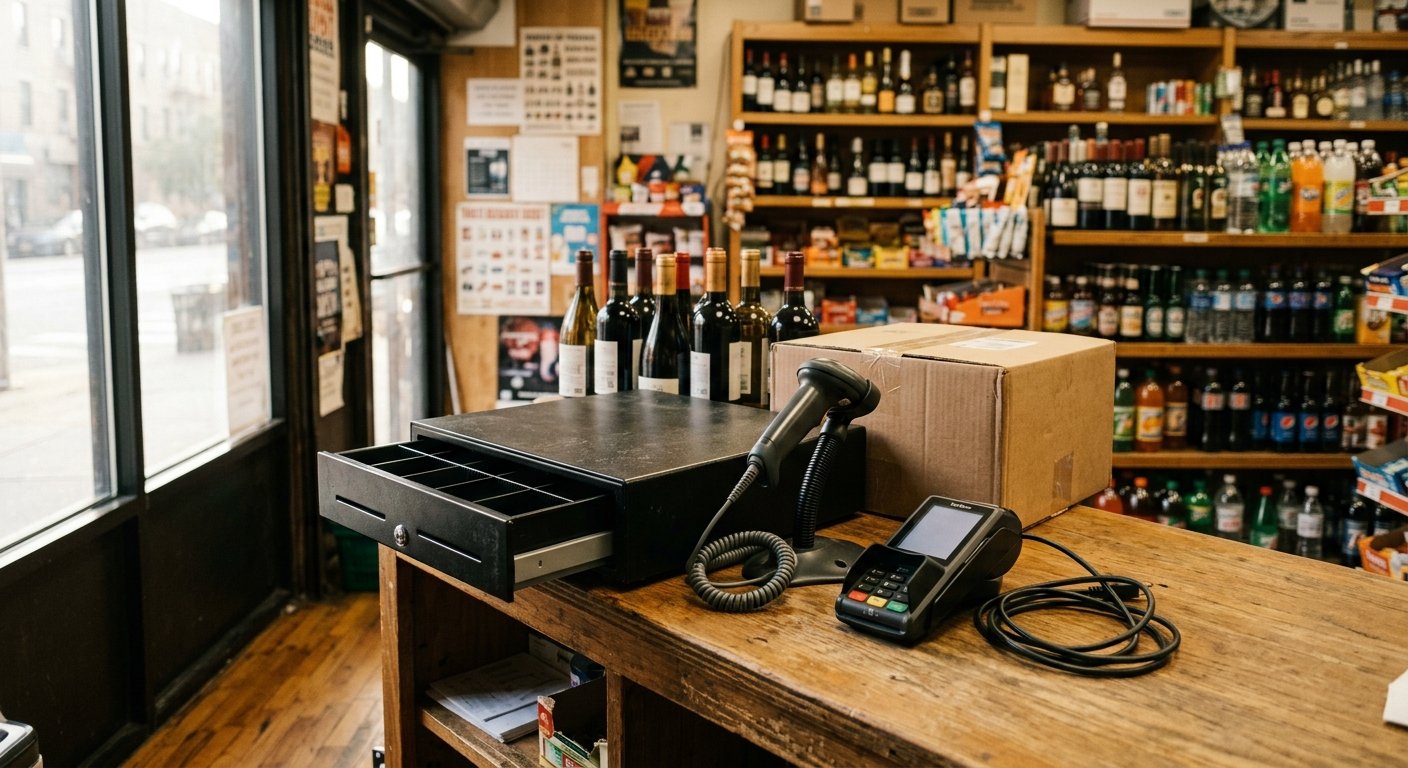
The short answer to can i buy hardware separately from my pos software contract is yes for some pieces and no for others. A cash drawer, receipt printer, and barcode scanner are often sold as owned gear. A processor-branded pin pad is usually locked to the merchant account that injected it. Those four objects sit on the same counter, so the quote looks like one bundle. They are four different answers. Read the serial stickers and the equipment addendum before you treat the whole counter as rented, or as yours.
What bundled hardware is actually tied to
Bundled hardware is tied to the document that names the serial number, not to the software login by default. A POS quote stacks three relationships on one page: a software bill, a merchant account, and a list of devices. Sales teams print them as one kit. They are still three different ties.
Software is a license and a supported device list. That list can refuse an old printer. That is a compatibility rule. It does not, by itself, put a lien on the metal cash drawer under the register. The merchant agreement is the path card money takes to the bank. That agreement can require a branded terminal because the processor’s keys live on that pad. That is a payments rule. It is not title to the scanner, the pole display, or the receipt printer.
Hardware is the serials. Purchased, rented, or rolled into a monthly minimum: those are three different answers, and they can differ device by device on the same counter. A “free” kit is the version that blurs this. The software bill or the processing rate is carrying the cost of the metal. When the kit arrives at no separate invoice, the pad is rarely free of conditions. The drawer might still be a catalog part you could have bought on your own.
What you need from the paperwork is simple. Which bill does this serial sit on. Processing, software, a hardware lease, or a paid invoice with no remainder. Those four answers send you down four different paths when you want to unbundle later. If the addendum is silent, treat the branded pad as locked to the account and treat everything else as unproven until you find the invoice.
We set up liquor, convenience, grocery, gas, and bodega counters across the US this way. Setup and support happen by phone, video, and shipped, pre-configured hardware. The paperwork still has to name each piece, because the counter does not care that the quote made it look like one object.
The register, the drawer, the printer, and the pin pad
The four pieces on the counter give four different answers, so take them one at a time.
The register
The register is the computer. A tablet, a tower, or an all-in-one screen running the POS app. If you bought that box, it is yours as a PC. The vendor can still lock the app to a license and a supported operating system. You can often keep the box and change the software, as long as the new software will install and talk to the printer, the scanner, and the pad. Buying a whole kit outright is a different decision from unbundling one live contract. That path is the one in our note on whether you can buy your own POS system.
The cash drawer
The cash drawer is a metal box with a solenoid. Most drawers open on a kick cable from the printer or the register. They do not hold card data. They do not know your merchant ID. Stores buy these from a hardware catalog and plug them into a new printer every day. If the current contract listed the drawer as a rental, the return language still controls. The physics of the drawer does not.
The receipt printer
The receipt printer is the same kind of object. USB, Ethernet, or a kick port on the back. The software has to speak its language. Once it does, thermal paper and a cutter do not belong to a processor. A barcode scanner sits with this group, not with the pad. It sends digits. The item file has to recognize a case of twelve bottles and break them into units. The processor never sees that scan.
The pin pad
The pin pad is the exception. A branded terminal is often injected with encryption keys for one processor. Unplug it and take it to a new account, and it is a brick until someone loads that new processor’s keys onto it, if they will do that at all. That is the piece people mean when they say the hardware is locked. It is usually this one object, not the whole counter. Age checks, EBT split tender, and tobacco scan data live in the register and the item file. They do not live in the drawer, and they do not travel inside a locked pad.
Owned gear versus a processor-locked terminal
Owned gear is gear on a paid invoice with no remaining balance and no return clause. You can move it, sell it, or leave it unplugged. The software may still refuse to print to an unsupported model. That is a driver problem, not a title problem.
A processor-locked terminal is tied to the merchant account. Card data is handled under the processor PCI program, and the pad is the device that touches the card. Processors protect that path by loading their own keys and by listing the serial on the merchant file. When you close the account, that serial comes off the file. The pad stops taking cards for a new processor unless that processor’s keys are loaded onto it, or the pad is replaced.
Rented terminals sit in a third bucket. You never held title. Send them back in the condition the addendum names. Counter Club’s published account is month to month, with no long-term contract and no early termination fee. If rented equipment is not returned, that carries a $395 fee. Those figures are sample terms for new accounts applying directly through the site. Pricing and equipment terms are subject to underwriting, the merchant category code, and the merchant agreement, and they are subject to change.
Handheld smart terminals on our published rates page list at $199.00 to buy, or $24.95 a month to rent, with one free per location. All-in-one terminals list at $399.00 to buy, or $49.95 a month to rent. Same qualifier: sample pricing for new accounts applying directly, subject to underwriting, MCC, the merchant agreement, and change. Buying the pad is how you stop paying rent on it. Buying it does not make that pad work on a different processor.
If you want the full kit math, software and processing together, start at our page on POS system cost. The buy-versus-rent choice on the pad is only one line on that sheet. Square publishes current card fees on its US fees page, and Clover publishes package figures on clover.com/pricing. Read those pages for their current device list. Do not assume a drawer sold next to a terminal is locked the same way the terminal is.
What to put in writing before you sign
Get a line for each serial before you sign, not a photo of the counter and a handshake. Model, serial number, purchased or rented or bundled into the software bill, and what happens to that serial if the software ends.
Put the rest in the PDF, not on a call:
- Write the model and serial of every device, and state whether it is purchased, rented, or rolled into the software bill.
- Write the return condition and any buyout amount for rented pieces, including the power supply and the brick.
- Write the exact printer and scanner models the software will support if you supply your own.
“Compatible printer” is not a model. Name the printer already under the counter, or name the listed model you will buy yourself. Keep the paid invoices. Title lives in those PDFs when a later rep says the whole counter was free.
Download statements before you close anything. Sales history does not migrate. The old processor keeps its own records. The item library and pricing can move. Historical transactions stay behind. That is also the moment to plan the cutover. Our page on switching POS systems walks the register change without treating the hardware as one lump. What you can take with you when you leave is a separate question, covered in keep POS hardware when switching.
How we match shipped hardware to what you already own
We set up the new counter around the gear you already paid for when that gear will talk to the new register. Tell us the drawer kick, the printer model, and whether the scanner is USB. We ship the pieces that are missing, pre-configured, and we leave the owned metal in place.
A lottery terminal stays the state’s terminal. We reconcile to it. We do not pretend it will integrate. Twelve bottles still have to break into units in the item file. EBT, where the store is set up for it, still needs item eligibility and split tender in the register. Those jobs live in software and in the merchant account. They do not require you to throw away a working drawer.
Tap to Pay is included with every merchant account we board. Some counters still want a handheld for the floor. That handheld can be the purchased unit or the rented unit on the published list. We do not need to replace a drawer to add it. Support is phone and video. Hardware ships. A store in one state gets the same remote setup as a store in another. We run the new setup against your statement so the processing side and the register side are in the same conversation. Approval is still the processor and sponsor bank decision. Nothing here is an approval, a quote, or a guarantee.
If the pin pad on the counter is branded for the processor you are leaving, plan on a new pad. Keep the drawer. Keep the printer if the new software has a driver. Keep the scanner if it still scans. That is unbundling in practice: four answers, four boxes, one counter.
Frequently asked questions
Can I buy the cash drawer and printer without taking the software bundle? Often yes, because a drawer and a printer do not hold card keys. Buy them on a separate invoice and get the models in writing as supported. If they were listed as rented, the addendum still controls the return.
Does buying the terminal unbundle it from the software contract? Buying ends the rent on that device. The keys on a processor-branded pad still belong to that processor’s merchant file. A new account usually needs a pad injected for that account, even if you hold the old one.
Will my scanner and printer work if I change POS software? They will if the new software has a driver for those models and the kick cable still opens the drawer. Bring both models to the demo and print a receipt. If the print job fails, you buy a listed printer and keep the old one as a spare.