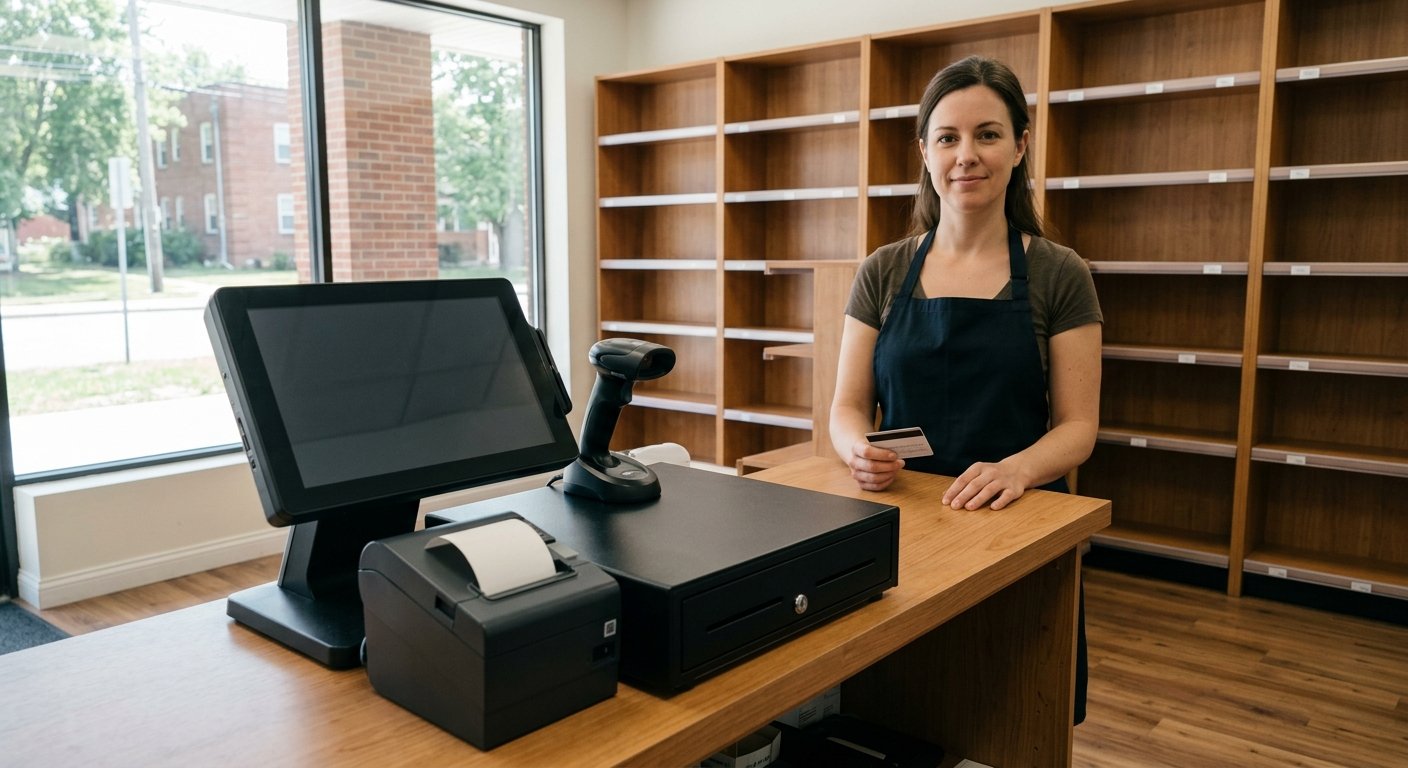
A new counter needs five pieces that talk to each other. The complete POS hardware setup cost for a new retail store is a register, a barcode scanner, a receipt printer, a cash drawer, and a PIN pad, with software and card processing as separate bills. Hardware is the stack you can touch. We board the merchant account and ship that stack pre-configured, so the drawer kicks on cash and the scanner hits the item file before the first rush.
What has to sit on a new store counter
Those five pieces have to occupy the wood, or the line stops. The register holds the item file and the tenders. The scanner turns a UPC into a price. The printer spits the receipt. The drawer opens on cash. The PIN pad takes the dip, the tap, and the swipe. That is new store POS hardware: five devices sharing one item file.
Empty shelves can wait a week. The counter can’t. A liquor store still has to age-check a beer run. A convenience store still has to split a basket when cash and a card show up in the same sale. A bodega still has to ring a pack, a single, and a case without guessing. A card reader sitting alone does none of that work.
Read the bill in three layers. They move as three bills. Hardware is the plastic and metal on the counter. Software is the item file, the tax flags, and the reports. Processing is what happens when a card hits the pad. A kit price that blends those layers hides the number you actually pay. We keep them apart on the POS system cost page for that reason.
The register is the piece that makes the rest honest. Case breaks live there. Twelve bottles come out of one case and sell as singles, and the case count has to fall the right way. Lottery stays off that file. The state runs its own lottery terminal, so your job is reconciliation, not a cable into that box. Tobacco scan data is a file the register has to produce in the format the program asks for. A nicer bezel will not fix an item file that can’t export it.
Register, scanner, printer, drawer, and PIN pad
Each piece on that POS equipment list for retail has one job. The cable between two pieces is part of the cost, even when a quote skips the name.
- The register is the computer that holds the item file, the tenders, and the day’s totals.
- The barcode scanner is what turns a UPC into a pack, a single, or a case.
- The receipt printer is what the customer takes, and it is often what kicks the drawer open.
- The cash drawer is the lockbox that should open on cash and stay shut on a card.
- The PIN pad is where the card is dipped, tapped, or swiped on your merchant account.
The register can be an all-in-one screen or a display with a separate pad. We sell both shapes. Sample pricing for new accounts applying directly through the site, as published on our pricing page: a handheld smart terminal is $199.00 to buy, or $24.95 a month to rent, with one free per location. An all-in-one terminal is $399.00 to buy, or $49.95 a month to rent. Pricing is subject to underwriting, the merchant category code, and the merchant agreement, and it can change. Those figures buy the terminal. They leave the scanner, the printer, and the drawer as their own lines.
A gun that doesn’t talk to the item file is a flashlight. A POS with a barcode scanner has to resolve the UPC to the right unit. Packs, singles, and cases are different rows. If the cashier can scan a six-pack as a single, your inventory is already lying.
The printer’s other job is the kick. A connected cash drawer opens when the register tenders cash, and stays closed on a card. A drawer that’s only a box with a key gets opened on every sale. That’s a habit with a lock on it.
What you can skip on day one, and what you cannot
You can skip a second station, a pole display, and a printer in the back office. You can’t skip the five pieces on the main counter if you take cash and cards.
Tap to Pay is included with every merchant account we board. A phone can take a tap as a backup. It still leaves you without a scanner, a printer, or a drawer. It doesn’t age-check a beer. It doesn’t split SNAP groceries from a hot sandwich.
A customer-facing display can wait. A second handheld can wait if the free handheld and the main counter cover the floor. A scale can wait unless you sell produce by the pound. Then the scale has to talk to the register, or every bag of oranges becomes a guess.
If you will take EBT, the SNAP path is part of the counter, not a later add-on. SNAP authorization is a USDA program. Item eligibility and split tender have to work in the register, and we scope that on the demo. The USDA SNAP retailer page is the rule set. Age checks are part of the liquor and convenience setups. How the check is done, and what the cashier still verifies by eye, is scoped on the demo too.
Don’t buy a register that claims to replace the lottery box. The state already sent you that terminal. Your POS has to let you reconcile it. Card data on the pad is handled under the processor PCI program. The PCI Security Standards Council is where that program lives. Complete the checklist so the non-compliance fee stays waived.
How the pieces have to talk before the first rush
The scanner has to resolve items on the register. The register has to drive the printer. The printer has to kick the drawer. The PIN pad has to sit on the same merchant account. If one of those links is dead, the first rush is where you find out.
Mismatched kits fail at the kick cable more than anywhere else. The printer has a drawer port. The drawer has a cable. They have to be the same family, or the drawer never hears the sale. Bluetooth scanners drop in a cooler-lined store. A wired gun is boring. Boring is what you want at 5 p.m. on a Friday.
The pad and the register have to share one account. A pad boarded to a different processor will not settle into the same batch. Deposits land the next business day, and batching at the end of the day is what starts that clock. A late batch pushes the deposit. The sale already happened. The clock did not.
Build the item file before you unlock the door. This is a new store, so you’re writing the library from the shelf: prices, tax flags, age flags, EBT eligibility, case breaks. If you’re in a tobacco scan data program, we check during setup whether this register and this item file can send the format the program asks for.
Test cash, card, split tender, and a void before you take a real line. Have one cashier ring a twelve-pack, a single, and a bag of ice. Watch the drawer. Watch the receipt. Watch the batch.
What we ship pre-configured, and what you already own
We ship the counter stack pre-configured. Setup and support happen by phone, video, and that shipment. The brand is national. There’s no service-area map. A store across the country gets the same setup path as the next one. How it works is that path: we configure the register, we board the account, we ship, and we stay on the phone while you ring the first test sale.
The account includes a register, a card reader, and barcode scanning. EBT and SNAP with item eligibility and split tender sit in that same setup when they’re on the quote. Inventory tracks case breaks and units from the item file the scanner hits. Anything past that list is scoped on the written quote for that store. We don’t pull extras from a brochure.
Published setup fee is $0.00. The account is month to month. There’s no long-term contract. If you rent a terminal and don’t return it, that carries a $395 fee. Buy vs rent is a cash question. Sample pricing applies to new accounts applying directly through the site, is subject to underwriting, the merchant category code, and the merchant agreement, and is subject to change.
You may already own a printer or a drawer from another job. Bring it up. We’ll tell you whether it talks to the stack we ship. Some drawers kick. Some are lockboxes. Some printers only know a driver your register will never load. A leftover cable is a maybe, not a plan.
Underwriting still decides approval. The processor reviews business type, expected volume, and average ticket. A liquor store and a gas station carry different merchant category codes. That review sets final pricing. Nothing on this page is an approval, a quote, or a guarantee.
Frequently asked questions
What hardware do I need for a POS in a new retail store?
A register, a barcode scanner, a receipt printer, a cash drawer, and a PIN pad. Software and processing bill separately. Skip one of those five and the first real line finds the hole.
Is the complete POS hardware setup cost one line on a quote?
The terminal has its own buy or rent price, and scanners, printers, and drawers are scoped on the written quote. Processing and software bill on their own. Ask to see each layer before you compare two numbers that are not the same bill.
Can I open with just a phone and a drawer?
Tap to Pay is included, so a phone can take a tap as a backup. You still need a way to scan, a way to print, and a drawer that kicks on cash. A phone doesn’t age-check a beer or split an EBT basket.