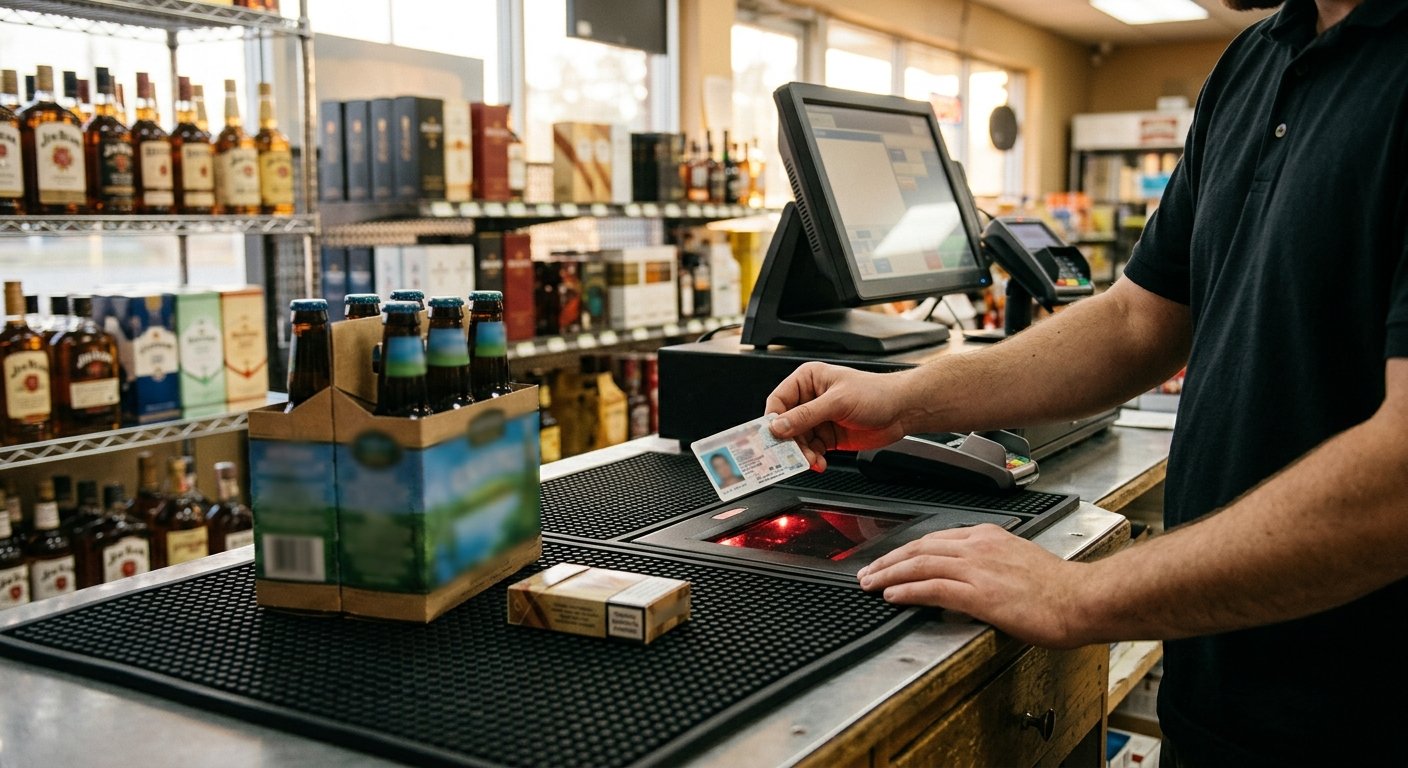
A six-pack hits the scanner and the screen stops. Age verification at the register is a prompt on those flagged lines, and the sale waits until someone acts. The cashier still has to look at the ID. The scan captures a date. The eyes close the check.
That’s the order. The item is flagged, the prompt fires, a date of birth is scanned or keyed, then the cashier reads the photo. After that, the rest of the ticket can ring.
What age verification at the register actually does
The register pauses an age-flagged line until a date of birth is entered and the cashier confirms it. It is an item setting. It is not a copy of your license.
When we build a liquor or convenience setup, age checks are part of that work. How the check is done, and what the cashier still verifies by eye, is scoped on the demo. The prompt is only as good as the flags in the item file.
A whiskey bottle with the flag on will freeze the ticket. The same bottle with the flag off will sail through. That is why the file work happens before hardware ships. A new SKU that hits the shelf on Thursday can ring all weekend if nobody tagged it.
Some registers let you flag a whole department, beer, wine, tobacco, and every SKU in that department inherits the stop. Others flag item by item. Department flags catch the new seltzer. Item flags miss it until someone edits the SKU. We pick the method that matches how the store builds its file, and we walk it on the demo.
The prompt holds the line so a person can do the alcohol id check the permit already requires. Follow the current rules on your own license. Those rules change, and they are yours to keep current. The register does not fetch them for you.
If the sale mixes milk and a six-pack, only the restricted line should trip. The rest of the basket waits. Pause the restricted SKU. Collect a date. Wait for the cashier. That is the whole job.
The prompt, the scan, and the cashier’s eye check
The ID prompt on the POS fires after a flagged item is scanned, not at the start of the ticket. The cashier is already mid-ring. The screen asks for a date of birth.
That date can come from a magnetic stripe, a barcode on the back of the card, or a typed birthdate. What shows up when a liquor store scans an ID is the payload question: name, date, and the rest of the stripe. This page is the order of the check.
After the date lands, the register can compare it to the cutoff stored on that item. A short date should refuse the line. A date that clears lets the prompt go. The cashier still looks at the photo, the hologram, and the face in front of them.
A typed date with no card in hand is a hole. Anyone can key a year. The prompt will take it. The register can prove a date was entered. Matching the photo to the person is still the cashier’s job.
Walk the sale in this order:
- The item in the file carries an age flag, so the register knows to stop.
- The prompt asks for a date of birth before that line can finish.
- The cashier scans the ID or keys the date, then looks at the photo and the face.
Then the rest of the ticket rings like any other sale. Chips, a gallon of milk, a bag of ice. The prompt already did its work.
Beer, tobacco, and lottery on the same ticket
A Friday night basket is rarely one category. A six-pack, a pack of cigarettes, a lottery play, and a bag of ice can hit the same mat. Flags on age-restricted items need to fire per line.
Beer and tobacco often carry different cutoffs in the item file. The register should prompt for each class when the first flagged SKU of that class lands. If both are on the ticket, the cashier may see more than one stop. That is the file doing its job.
Lottery sits on a different machine. The state runs its own lottery terminal, so the work is reconciliation, not integration. The age check for a lotto play happens at that cabinet, under the state’s own rules. Match the drawer later. The split is the same one we walk on lottery reconciliation at the counter.
Tobacco has a second file job. Scan data programs need sales detail from the register in the format the program asks for. Whether a given POS version and item file can send it is checked during setup. The age flag and the scan data feed both live on the item. Payment amounts and eligibility stay with the manufacturer program. The prompt does not file scan data. The tobacco scan data setup is a separate pass on the same file.
If EBT is on the ticket, split tender still has to work. SNAP authorization is a USDA program. Item eligibility is its own ruleset. An age prompt on beer should leave the food lines intact. We scope that on the demo the same day we set the flags.
Overrides, skipped prompts, and the night tape
A manager code can clear a stuck line when the scanner will not read a wet card. A regular left the wallet in the car. The cashier already knows the face. The register will usually let a supervisor override. The night tape will usually show it.
That tape is how you see the check was asked. It is a journal. Which SKU. Which prompt. Whether a date was scanned or keyed. Whether someone bypassed it, and which login did it. If a clerk trains themselves to dismiss the screen without looking, the tape is how you catch the habit.
Print the journal with the rest of the close. If you only keep the Z-tape totals, you have the money and you lost the prompt history. The override line is the part a manager actually needs at 11 p.m.
Skipped prompts start in the file as often as they start with people. If the age flag is off, there is no prompt to skip. New items inherit whatever default the file uses. A case of flavored seltzer can ring clean all weekend when the unit SKU never got the flag.
The journal records what the cashier did. Your license, your state, and the agency that issued the permit set the duty. Those positions change. Read the current rule for your own permit.
The prompt lives in the POS software. A drawer-and-total cash register has no item file to flag, so it cannot stop the line. That gap is why a liquor counter moves from a plain cash register to a POS with an item file.
What we turn on in the item file before hardware ships
We set the age flag on the restricted items before the terminal leaves. Hardware ships pre-configured. Setup and support happen by phone, video, and that shipped gear. A liquor store and a convenience counter get the same remote setup. Smoke shops, small grocery, bodegas, and gas station c-stores get the same flag work when the mix includes restricted lines.
On the demo we walk the prompt order with the owner’s real mix. A whiskey bottle. A pack of smokes. A grocery line with no flag, so they can see it pass. We confirm how the check is done and what the cashier still verifies by eye. That labor is the age-check setup. It is item file work, done before anyone rings a live sale.
The liquor store POS setups we build include register, card reader, and barcode scanning. Age checks sit next to inventory with case breaks. The twelve bottles that come out of one case still need the flag on each unit that rings. A case break that creates a new unit SKU without copying the age flag is a silent miss.
Every merchant account goes through underwriting. The processor reviews business type, expected volume, and average ticket, and that review sets final pricing. A liquor store and a gas station carry different merchant category codes. The age prompt is store configuration. It rides along with the account. It is not the underwriting decision.
If you already have a system, we look at whether the current item file can hold the flag, fire the prompt, and print the override on the journal. Sales history does not migrate. The old processor keeps its own records, and you should download statements before closing the account. The item library and pricing migrate. Historical tickets stay behind.
Frequently asked questions
How does a cashier verify a person’s age at checkout?
The flagged item fires a prompt. The cashier scans or keys a date of birth, then looks at the photo and the face. The register compares the date to the cutoff on that item. The eyes finish the check the license already requires.
Does the same prompt run in every state?
The prompt is a store setting we turn on in the item file. Age-restricted sales are part of the liquor, convenience, grocery, gas, and bodega setups we build across the US. The cutoff and the ID rules follow the store’s own license. Read the current rule on that permit.
Can an age-restricted sale finish without an ID in hand?
The prompt will often accept a keyed date with no card present. That is why the cashier still has to see a real ID when the license requires one. The journal will show a keyed entry if anyone asks what happened on that ticket.